
Setting up your router or adapter box (Physical line)
Guide reference: HG-0119
Quote this reference if you contact us about this guide.
Approx. 3 min read
Connect power and cables at the main phone socket. For Physical line customers. The router is essential for your digital telephone line at the main phone...
Don't worry about the cables. Setting up your router is mostly plugging in power and the line cable in the right order, at the main phone socket in your home.
Quick answer
The router is essential for your digital telephone line at the main phone socket and must stay connected at all times. For full fibre homes, See Setting up your router on full fibre
More detail
The router is essential for your digital telephone line at the main phone socket and must stay connected at all times. For full fibre homes, See Setting up your router on full fibre
Set up your box step by step
-
Unpack the box on a stable surface near a power socket and your main phone socket. Look at the back of the router so you can find the grey DSL port, the green Phone1 port, the power jack, and the power button. Do not press the small recessed reset button.
You should be able to point to DSL, Phone1, power, and the power button on your router. Your ports may be labelled the same even if the box looks slightly different.
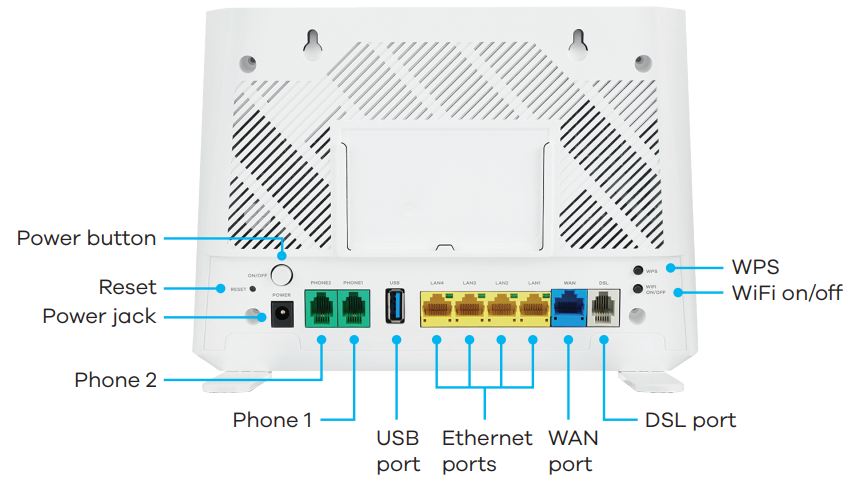
Example of the ports on the back of the router. Your router may look slightly different. -
Find the main phone socket where the line enters your home. It often has a BT or Openreach logo and may have one or two ports.
You should be at the first phone socket on the line, not a bedroom or upstairs extension.
-
For a single-port main socket: plug the adapter filter LINE plug directly into the wall socket. Connect the grey cable from the router DSL port to the DSL or Modem port on the filter. Do not plug your phone into the Phone port on the filter.
The filter should sit firmly in the wall socket, and the grey cable should run from router DSL to the filter DSL port only.
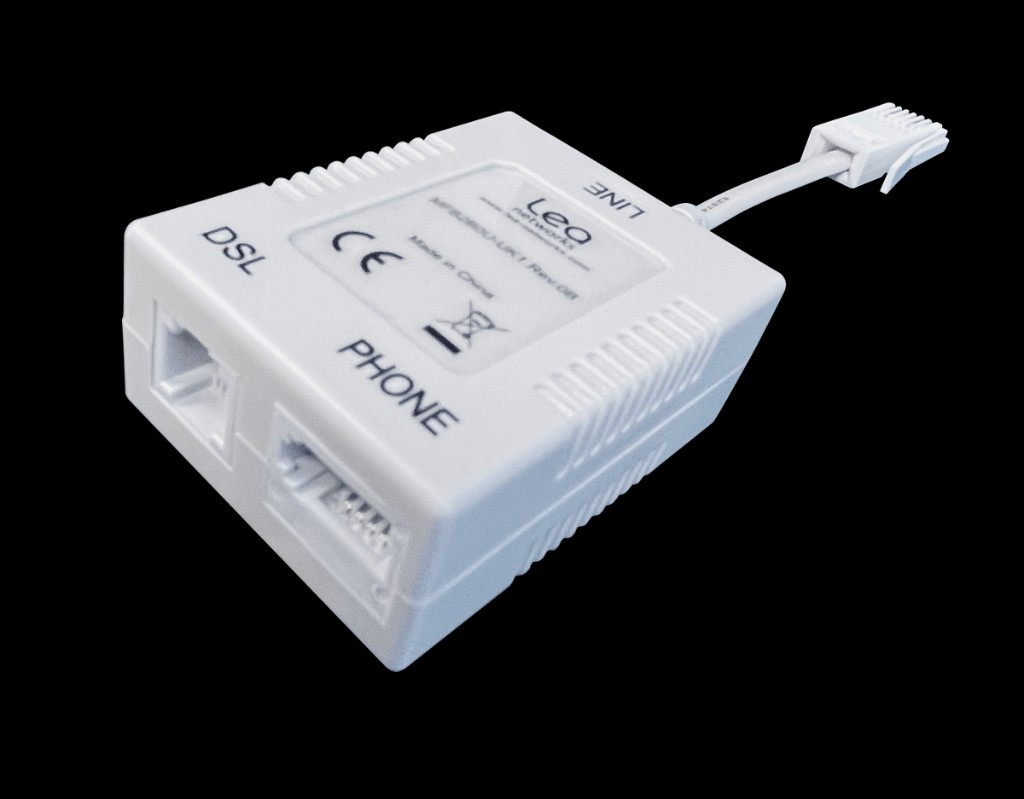
Adapter filter for a single-port main socket. Use DSL for the router. Leave the Phone port empty. -
For a dual-port main socket: plug the grey cable from the router DSL port straight into the DSL port on the wall. Do not use the adapter filter on a dual-port socket.
The grey cable should go from the router DSL port into the wall DSL port, with no filter in between.
-
Plug in power and press the power button if no lights appear.
You should see at least one light on the front of the router within about a minute.
-
Wait at least three minutes until the broadband light is steady green.
You should see a steady green broadband light. On your start date, wait until 6pm before treating a red light as a fault.
-
Plug the handset adapter into Phone1, then plug your phone into the adapter.
Your phone should be connected to Phone1 on the router, not to a wall socket and not to the Phone port on the filter.
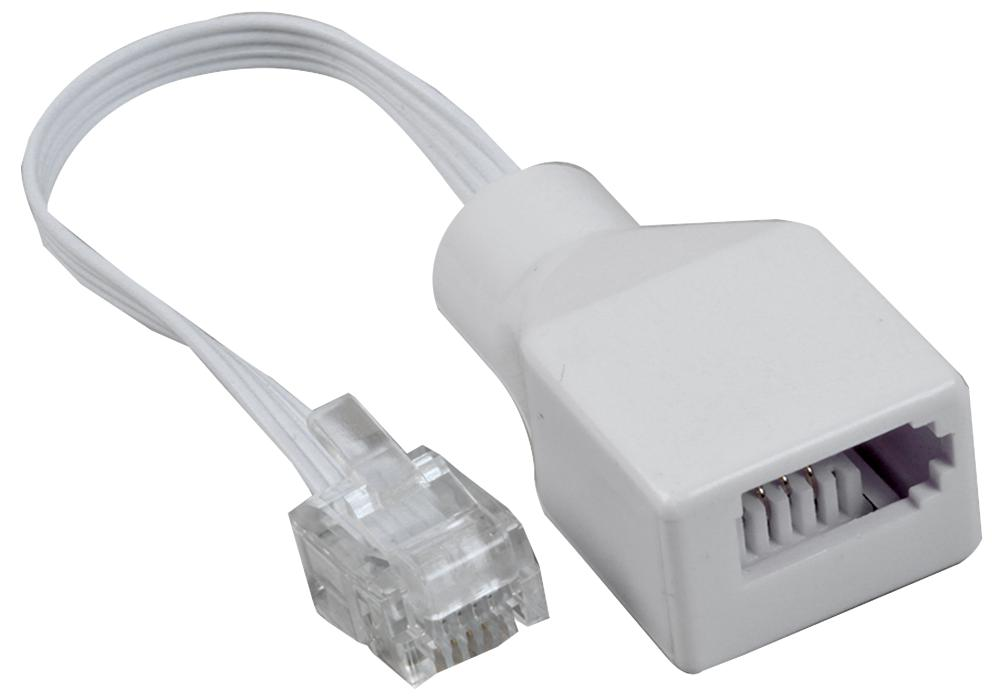
Handset adapter. Small end goes into Phone1. Your phone plugs into the white socket.